Our First Experience with the Automated Parking System at Cloud 11
Following its general public opening on July 16, 2026, we visited Cloud 11 in early August. After watching several videos of their advanced parking setup shared by other visitors online, I was excited to experience it firsthand! My husband drove in to pick up my niece and me, giving us the perfect opportunity to test out one of the most advanced Automated Parking Systems (APS) in Bangkok.
While automated parking isn’t entirely brand-new to Bangkok—malls like The EmQuartier and The Mall Lifestore Ngamwongwan feature similar setups—this was our very first time using one, making the experience at Cloud 11 a complete eye-opener!
What is an Automated Parking System?
An Automated Parking System uses mechanical lifts, computer controls, and robotics to store cars safely without a human driver inside. By eliminating traditional multi-story ramps and wide driving lanes, an APS can fit 2 to 3 times more vehicles into tight urban footprints compared to standard concrete garages.
Cloud 11 Parking at a Glance
- Total Capacity: 1,800 cars across two main parking zones.
- Pro-Tip for Fast Access: Heading to specific lifestyle sections like the COMMONS Cloud 11? Enter via Parking BC and use Car Park Lifts No. 15–28 for direct access to your nearest lobby.
- Retrieval Speed: Designed to retrieve vehicles up to 4x faster than manually navigating multi-story garages. (Note: Initial opening-week teething issues and long wait times have smoothed out considerably!)
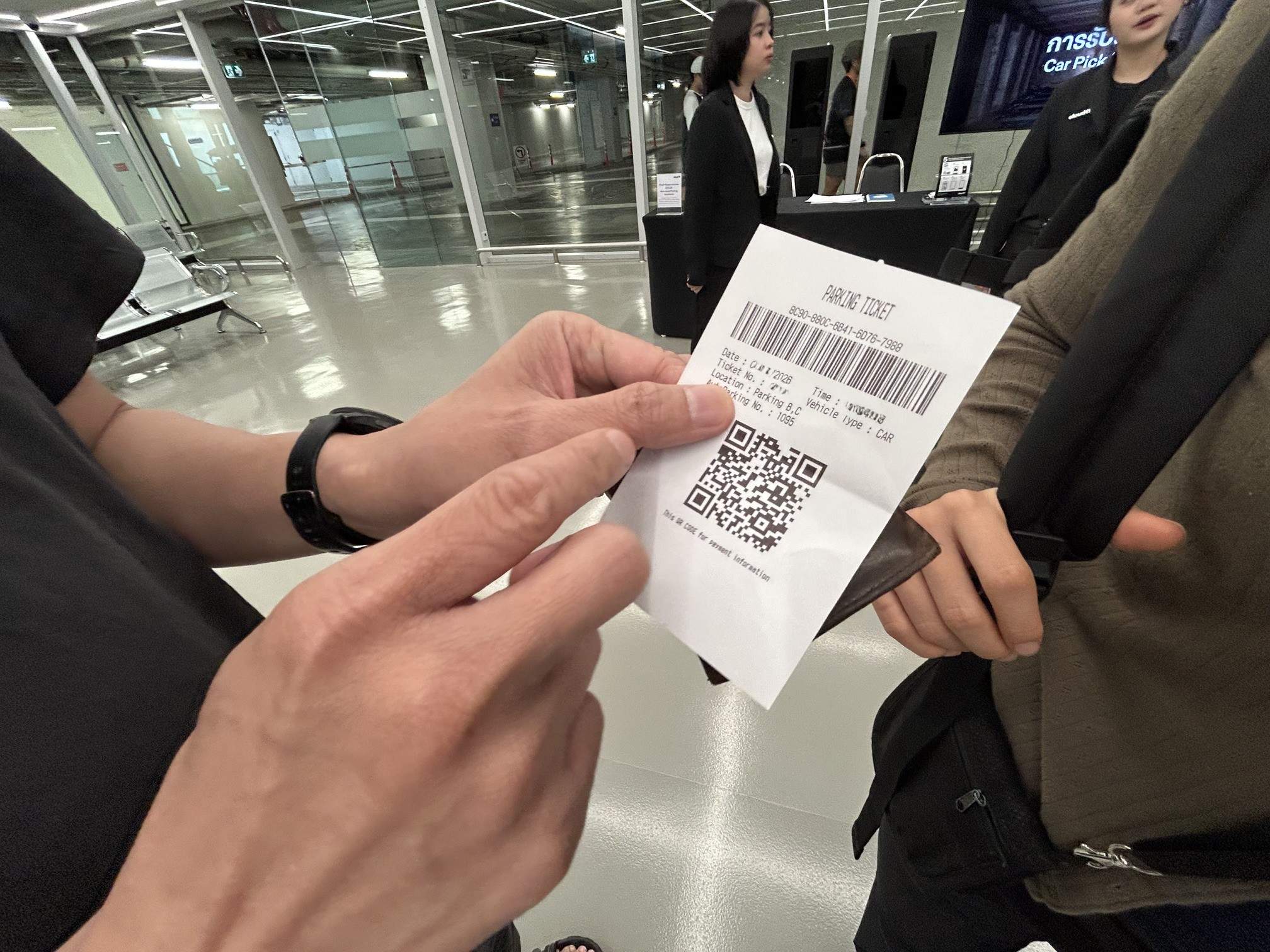
- Unified System: Uses a single QR code throughout your visit—from entry ticket to exit retrieval, and your vehicle is assigned with an “Auto Parking number”.
- Specialized Zones: Dedicated manual spaces are available for supercars, EVs, motorcycles, accessible parking (seniors and drivers with disabilities), and oversized vehicles.
How It Works: Step-by-Step
1. Drop-off & Alignment
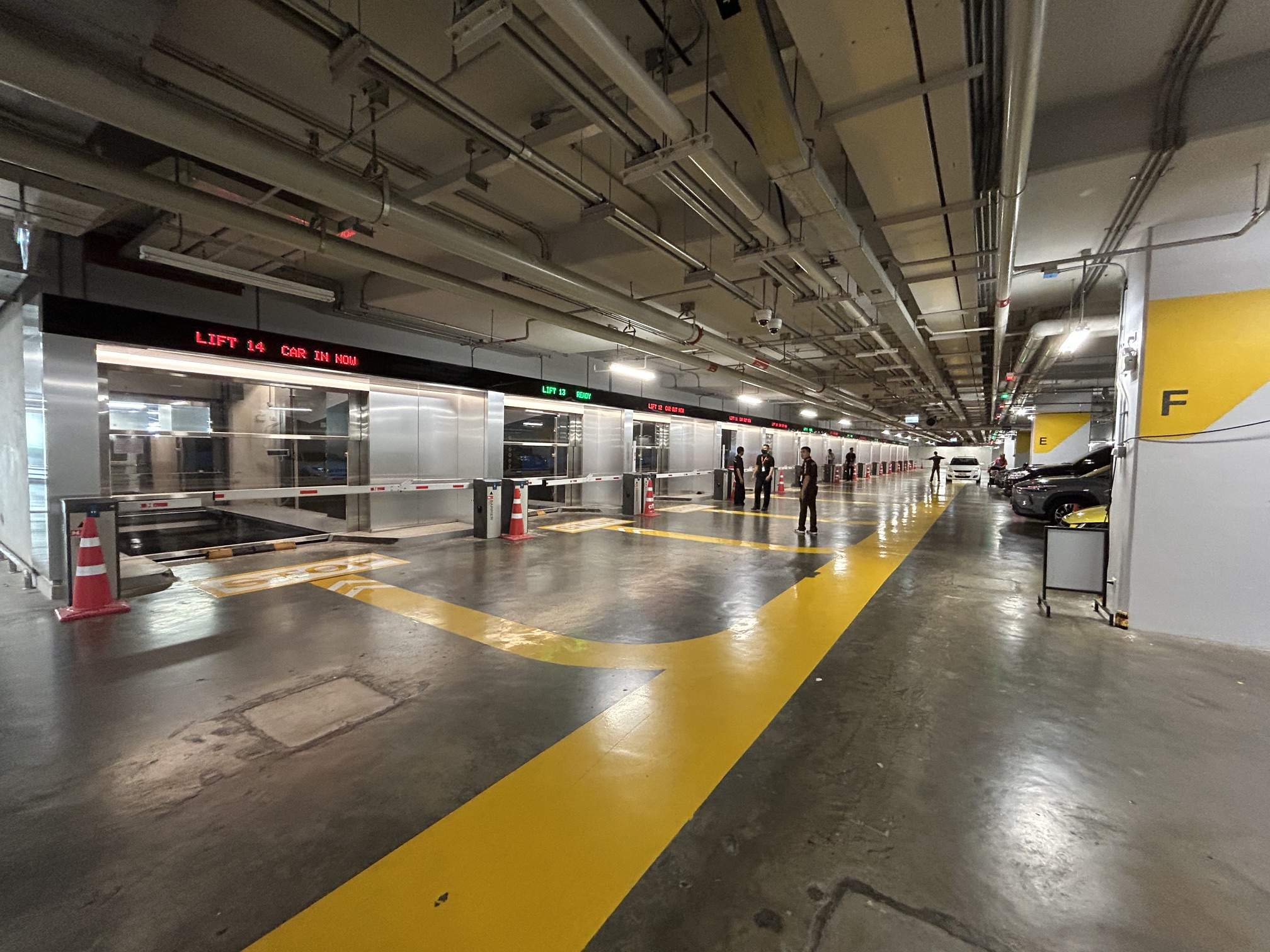
- Drive In: Collect a standard ticket from the basement entrance machine, then follow the driving lane toward the lift bays.
- Follow the Queue: Drive toward the very front of the line following the cars ahead of you to avoid blocking traffic. Moving to the front gets you into the early bays, which are much closer to the passenger lobby!
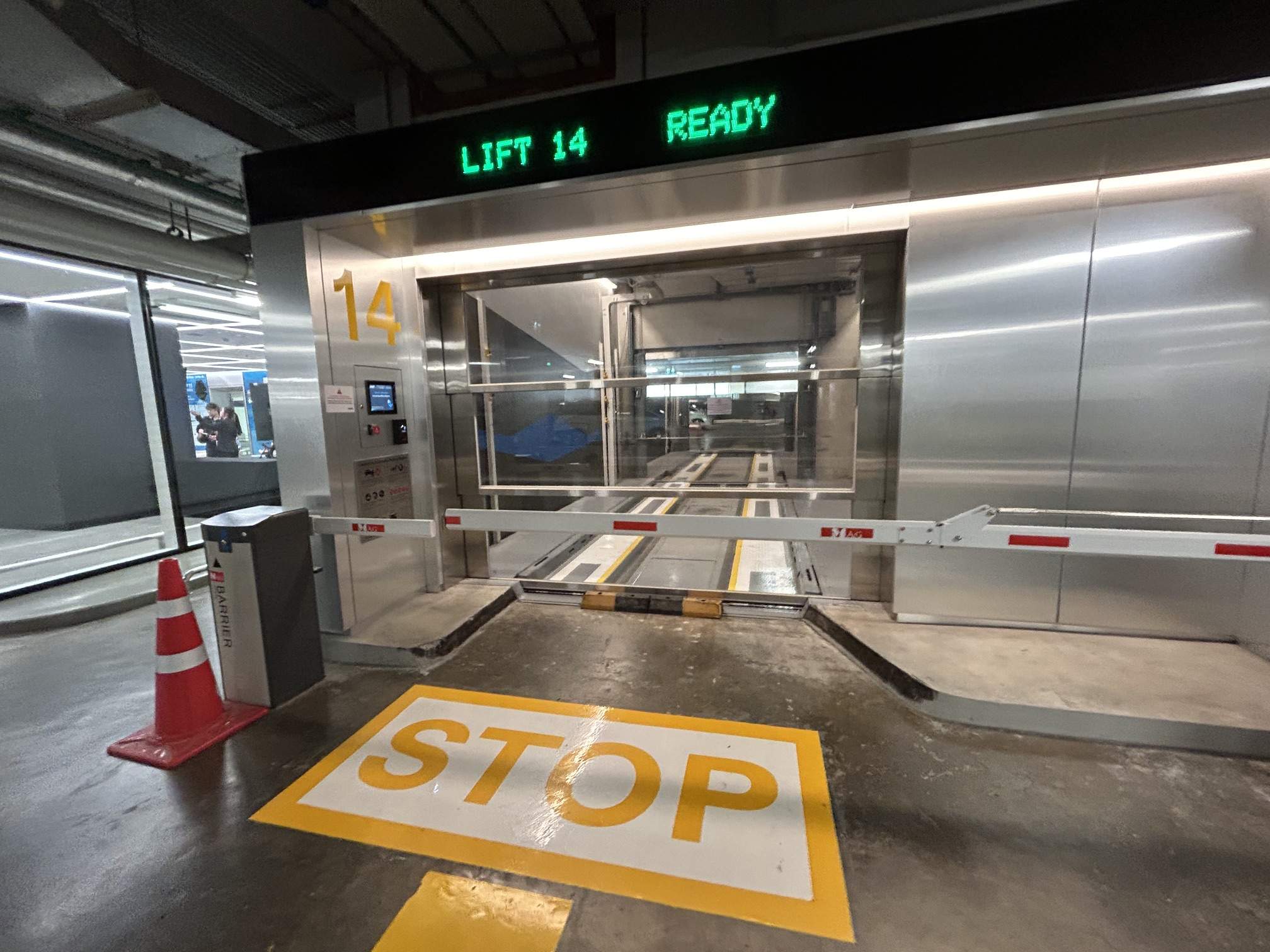
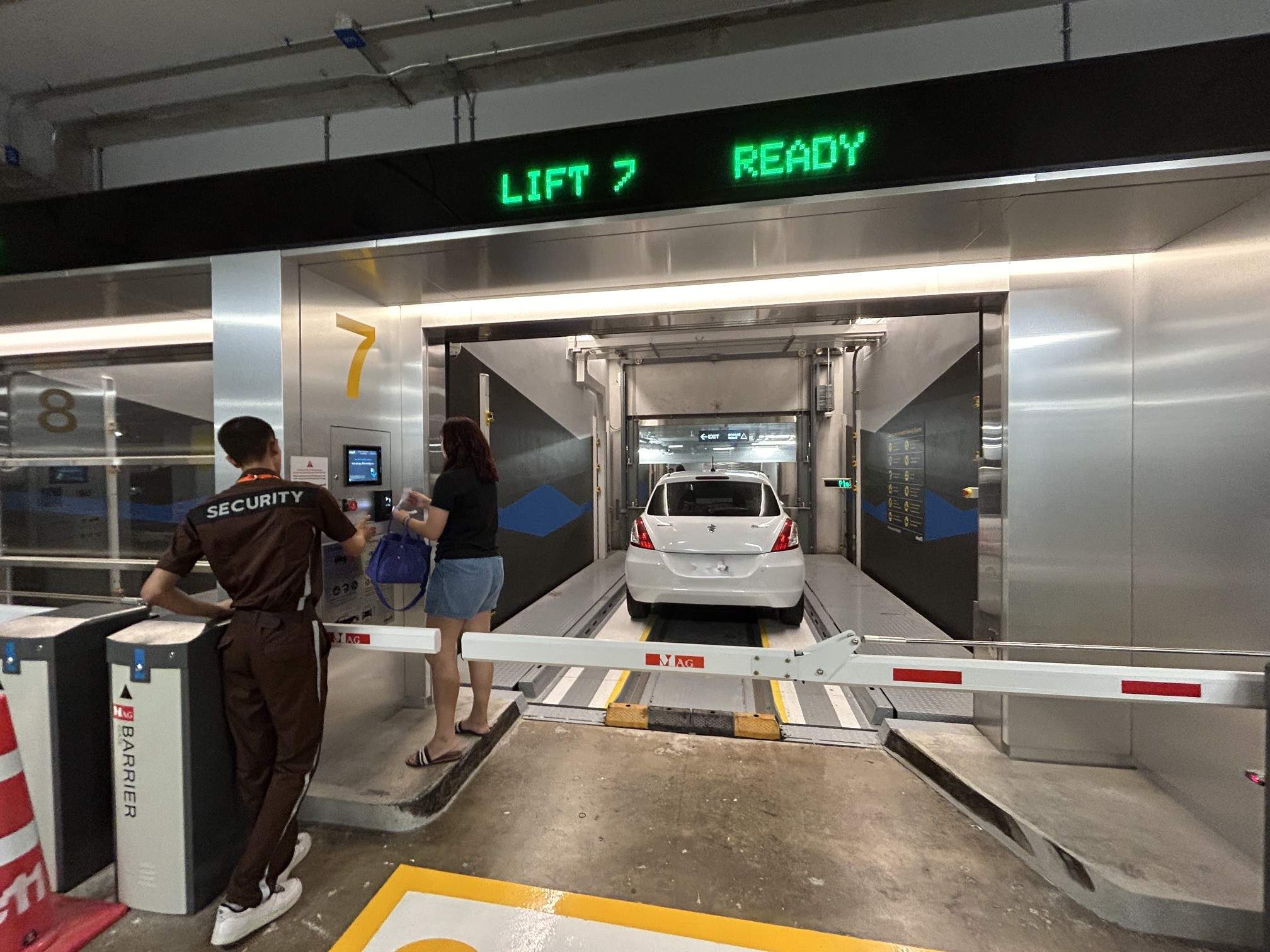
- Bay Entry: On-site staff will direct you toward an available bay. Before pulling in, check the overhead digital LED board for the current status:
- Green
"Empty"— The bay is completely clear and ready for your car or it is prepared for the platform/pallet to transport your vehicle. - Red
"Car In/Out Now"— Active transfer in progress; wait behind the line until the operation finishes and the barrier opens. - Once the barrier opens, slowly pull forward onto the parking pallet inside the bay.
- Green
- Sensor Scan & LED Guidance: Sensors immediately scan your car to verify alignment. Follow the small LED screens mounted inside:
"Move Forward""Move Left""Stop!""Please pull (or lock) the parking brake"
- Final Ticket Scan: Once positioned correctly, step out and scan the QR code on your parking ticket at the bay scanner located outside the lift bay before walking away.
Driver Experience Note: The tight glass-paneled bay space can feel intimidating at first, making drivers hesitant about how far forward to push into the lift. Luckily, staff are stationed right there to guide you safely onto the ramp platform.
2. Securing & Storing the Vehicle
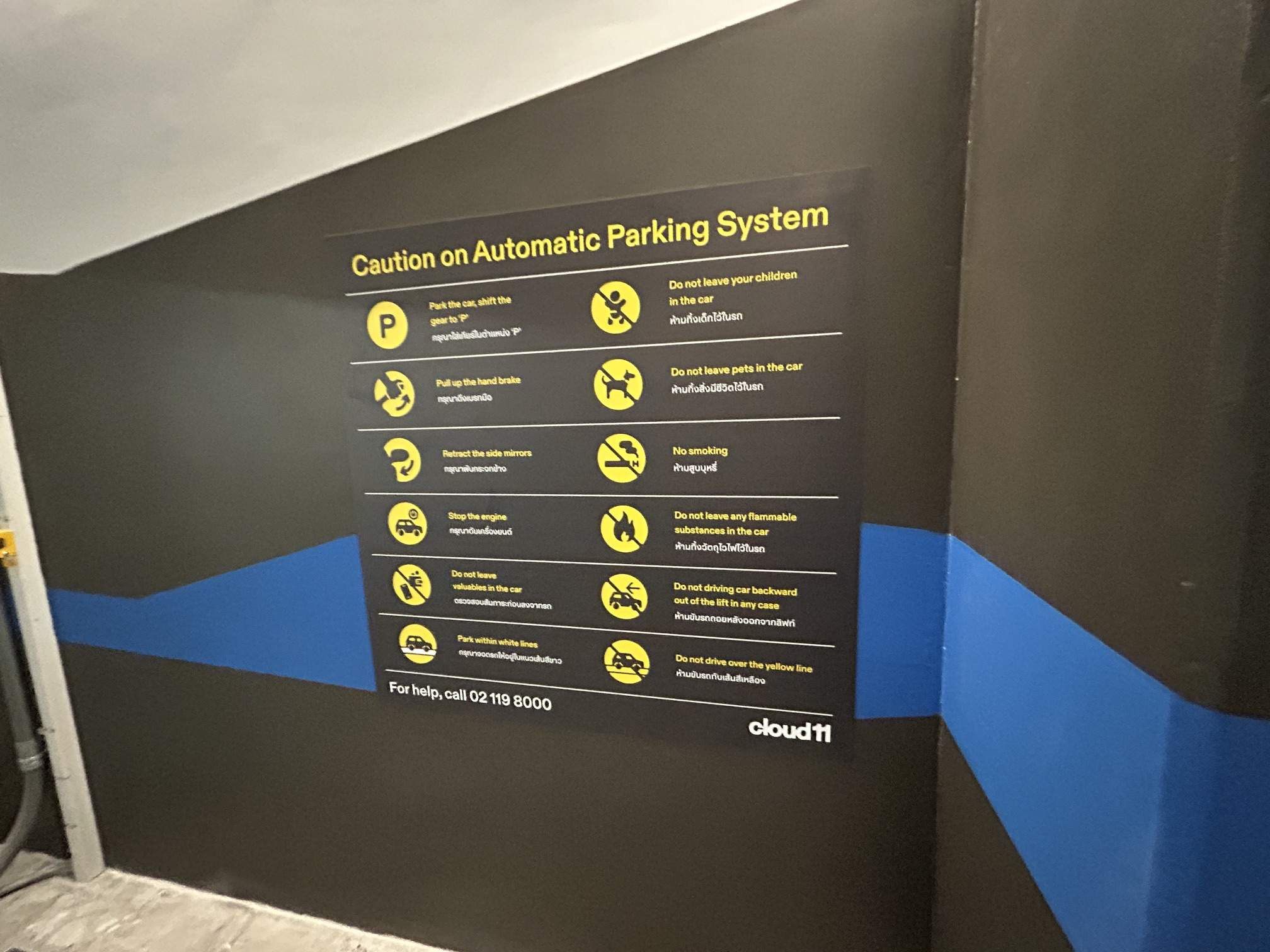
- Park, Exit & Lock: Shift into Park (P), engage the handbrake, fold your side mirrors, turn off the engine, exit, and lock your doors. (No passengers or drivers remain inside as the vehicle transfers).
- Safety Scan: Sensors run a final safety sweep to ensure doors are closed and no movement is detected inside the bay.
- Robotic Transfer: Mechanical lifts raise or lower the car into internal storage levels, instantly supplying a fresh pallet for the next waiting driver.
3. Requesting Your Vehicle (2 Methods)
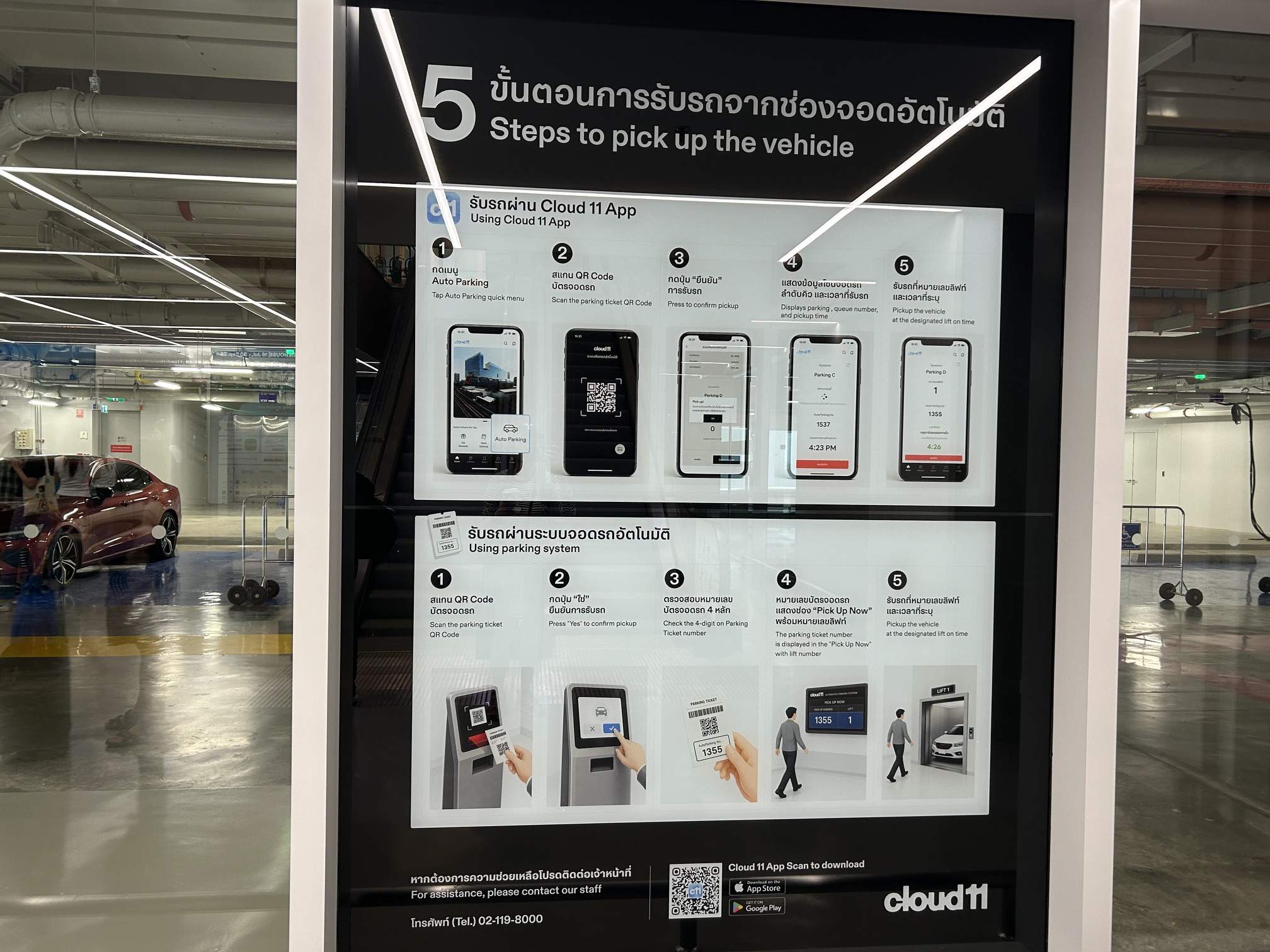
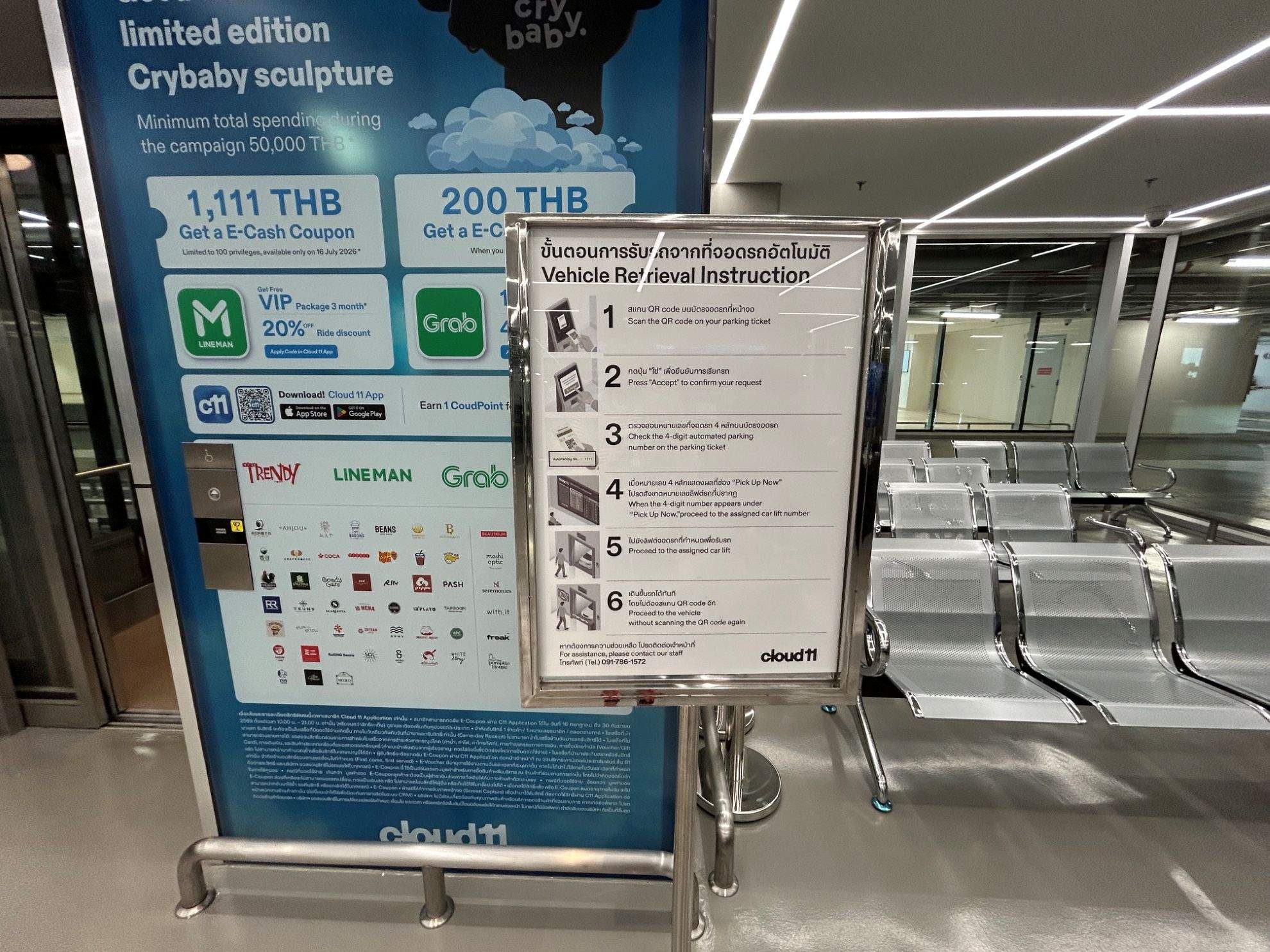
We braced ourselves for a long wait based on early complaints online, but our experience on a weekend afternoon was surprisingly fast—it took less than 5 minutes! On-site staff quoted a 5-minute wait time, though signs note up to 30 minutes while the system is under trial.
You can initiate vehicle retrieval via two methods:
- Via the Cloud 11 Mobile App: (Launched after early feedback to let visitors order their cars while walking back to the car park). Tap the Auto Parking icon under Parking Status to track your live queue number and estimated pickup countdown. Head down to the bay when prompted.
- At the Pickup Lobby Terminal: Scan the QR code on your ticket at the terminal reader in the waiting lobby and rest comfortably.
4. Vehicle Retrieval & Exit
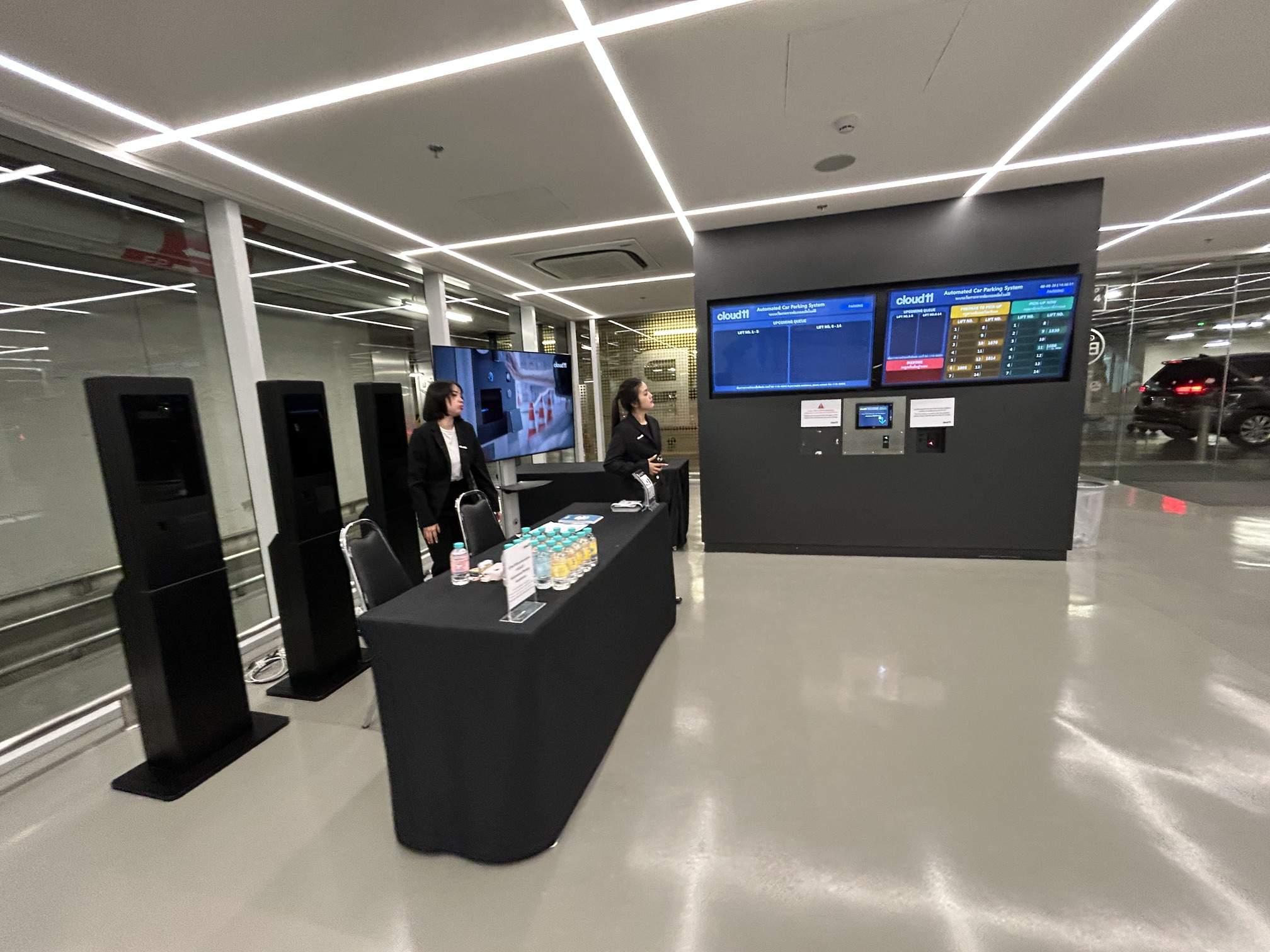
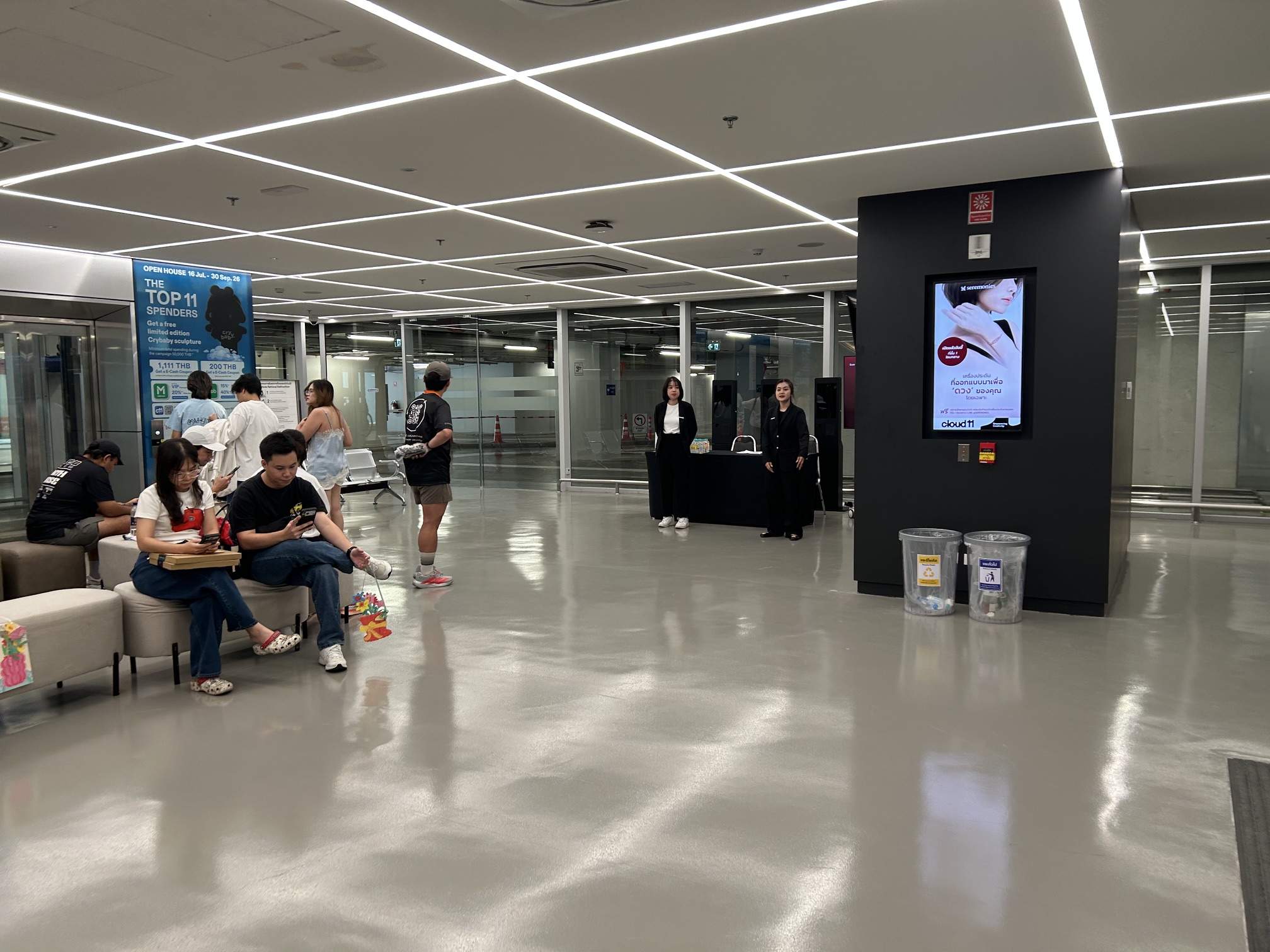
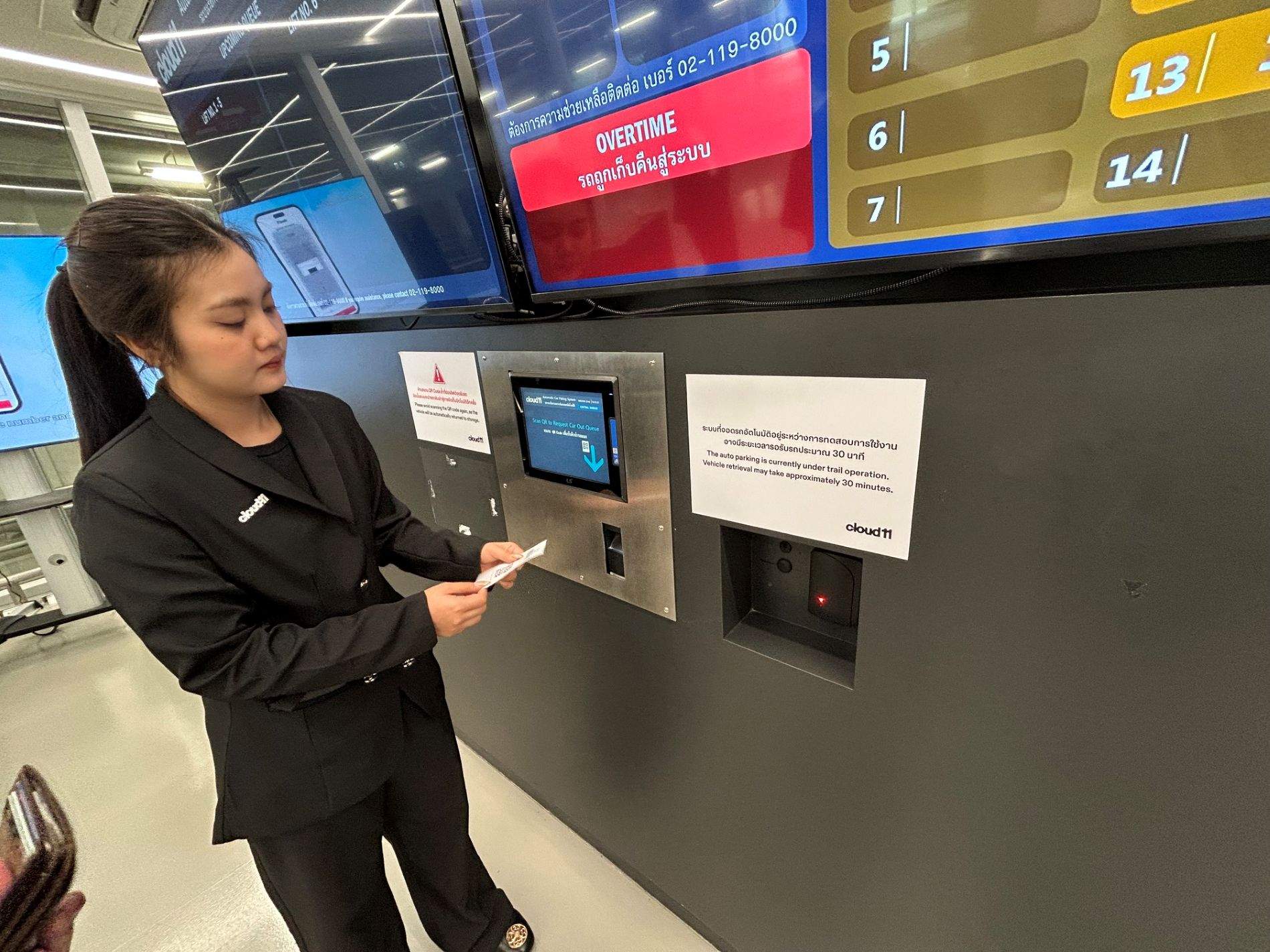
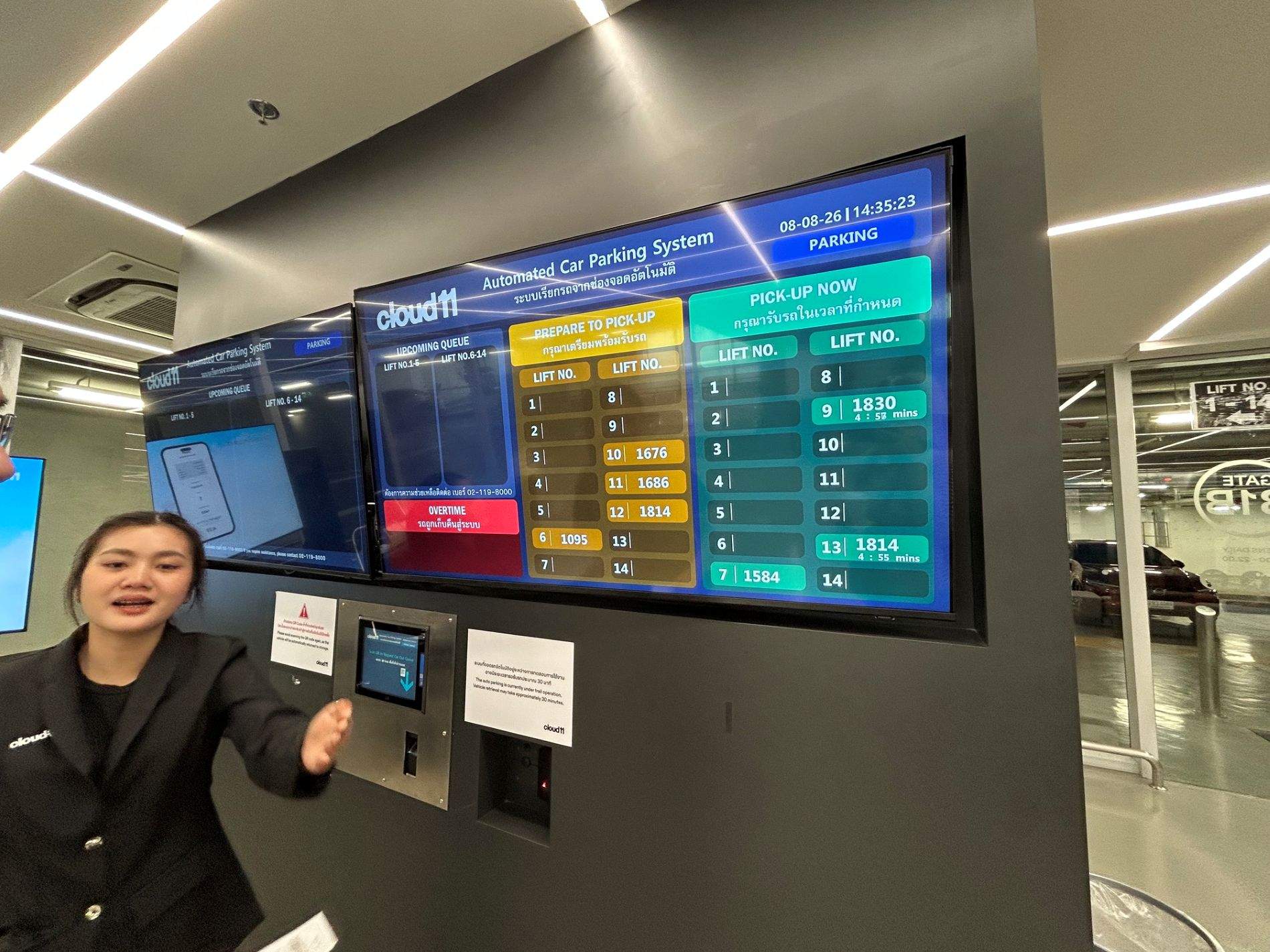
Watch the status screens in the lobby:
- “Prepare to Pick-Up” — Your vehicle is currently being retrieved by the robotics.
- “Pick-Up Now” — Your vehicle has arrived at its assigned bay and is ready for collection. (Note: You’ll see a countdown timer under 5 minutes on the display—this indicates the timeframe given to retrieve your car and clear the lift bay before the system alerts).
Your car is returned facing forward, making driving out effortless!
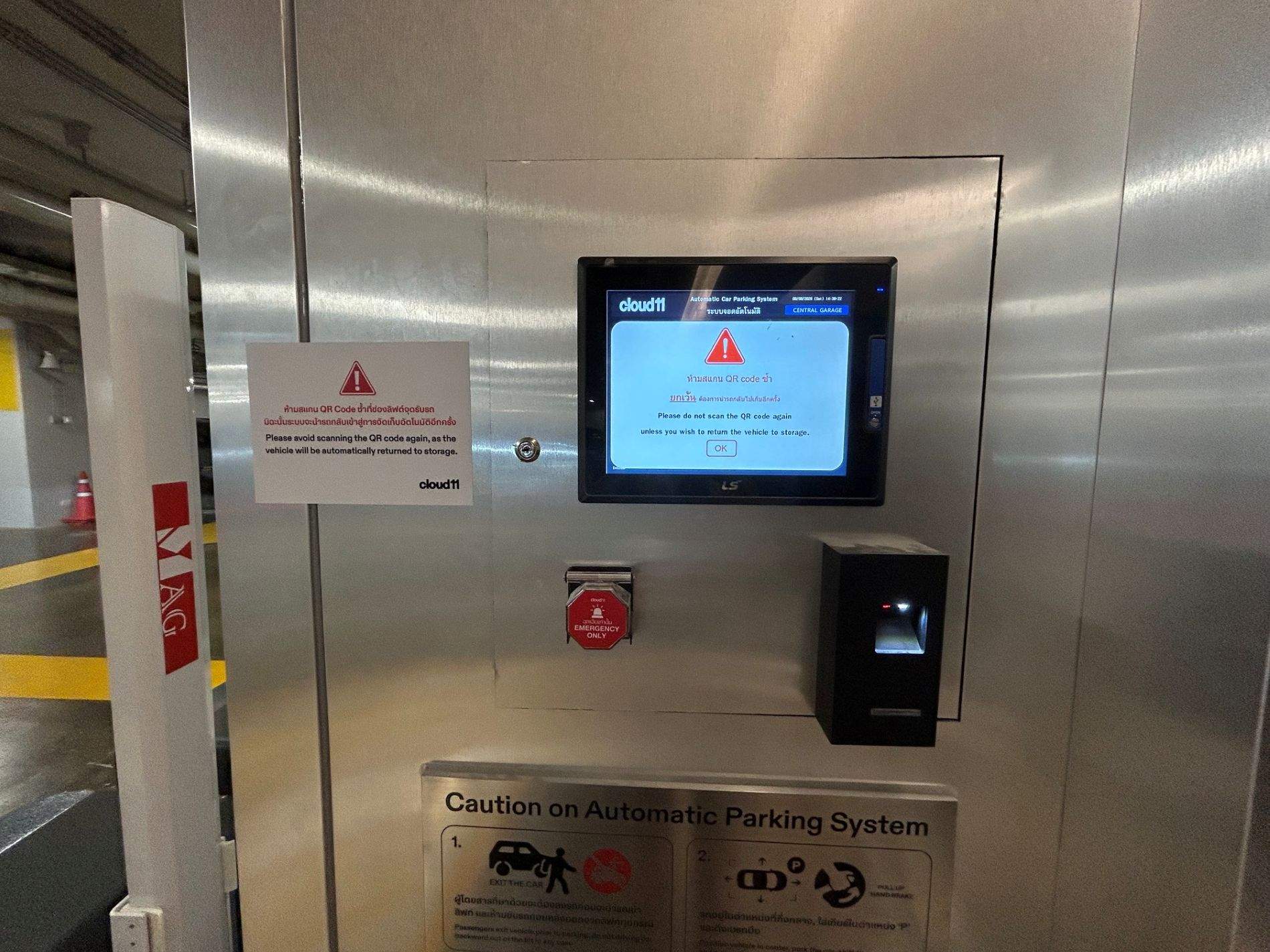
⚠️ CRITICAL WARNING: Do NOT scan your parking QR code a second time at the exit bay once your car arrives! Scanning again tells the system to return your vehicle to storage. Simply get in and drive straight out.
Understanding the Loud Sirens & Warning Alarms
Be prepared for a loud, perpetual warning siren in the lift area, which remains clearly audible even as you drive away. While it can feel intense for drivers and sounds like a noise hazard for nearby staff, these alarms serve an essential safety function.
In automated robotic garages, loud sirens protect people from heavy moving equipment. The system triggers alarms for:
- Moving Machinery: Notifying nearby pedestrians that heavy lifts, motors, and sliding pallets are actively shifting overhead or underground.
- Safety & Bay Clearance: Warning people to stand clear of active gates and glass doors while they are opening or closing.
- Vehicle Misalignment: Alerting staff if a car crosses safety sensor lines or sits crookedly on the pallet.
- System Errors: Instant alerts if there is a door obstruction or mechanical jam inside the system.
Parking Rates & Validation
| Duration / Type | Cars | Motorcycles |
| First 3 Hours | FREE | FREE |
| Hours 4–6 | THB 30 / hour | THB 10 / hour |
| Hour 7 onward | THB 50 / hour | THB 50 / hour |
- Validation & CloudPoints: Discounts and complimentary extensions can be redeemed using CloudPoints or merchant promotions. CloudPoints are value-based reward points earned through the official Cloud 11 Mobile App by registering your account and joining on-site activities or campaigns across the Cloud 11 Bangkok creative hub.
Pros, Cons & Real-World Considerations
The Benefits
- Enhanced Vehicle Safety: Zero risk of door dings, scratches, theft, or parking collisions.
- No Ramp Stress: Avoid endless circling and tight, winding ramps searching for an open spot.
Things to Keep in Mind
- Forgotten Items: If you leave something or need to deposit items in your car, you must request the vehicle back down. Since the car is already positioned in the lift bay upon arrival, you likely won’t need to restart the entire drive-in alignment process—just scan your QR code again outside the bay to return it to storage!
- Peak Queues: High volume during weekend peak hours can lead to temporary pickup delays.
- Size Limits: Oversized SUVs, vans, low-clearance sports cars, or vehicles with roof racks must use standard manual zones or designated overflow lots. (Note: While there is a sign posted as you turn into the car park indicating size restrictions, detailed numerical dimensions were not listed on-site).